Implementation
How to Try Live Translation at Church This Sunday
You don't need a committee meeting or a training day. Here's a 30-minute path from 'we should look into this' to translations in your service.
Sign up free, plug your sound desk output into a laptop or phone with a simple cable, do a five-minute rehearsal the day before, then print or display a QR code at the door on Sunday. Most churches go from signup to first live service in under an hour of hands-on time.
What you need before Sunday
The short list
- A free Breeze Translate account (no card required to try)
- Something to pick up audio: ideally a cable into your sound desk, but a phone on the lectern with a Bluetooth mic or headset works too
- Five minutes with whoever runs sound, ideally the day before — though you don't need to wait on the tech team if you'd rather run it yourself
Not sure which cable or output to use?
Audio input and mixers guide →The 30-minute path
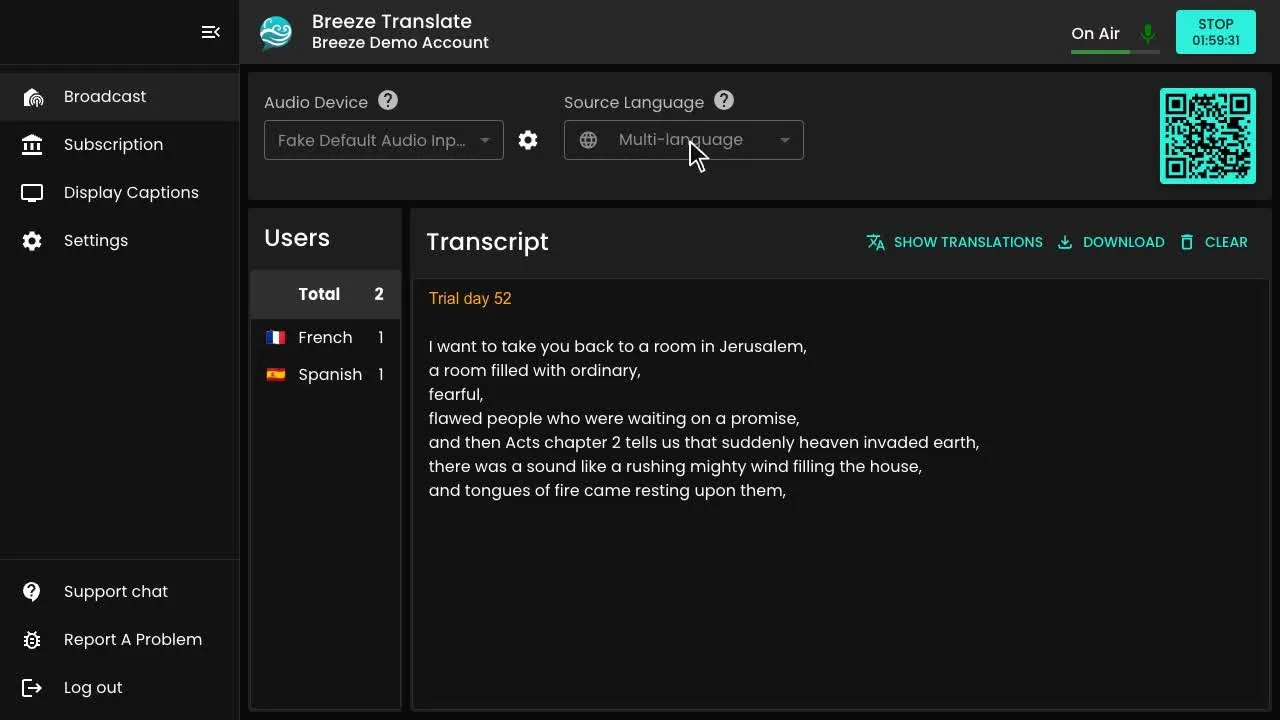
Sign up and open the control panel. Choose the audio input that's carrying your sound desk feed — or a phone's own microphone if you're running it that way — and set the source language to the language your service is mostly spoken in. Breeze will detect language switches automatically if your service moves between languages.
Step by step
- Press Start and speak a sentence or two to check the transcript is appearing correctly
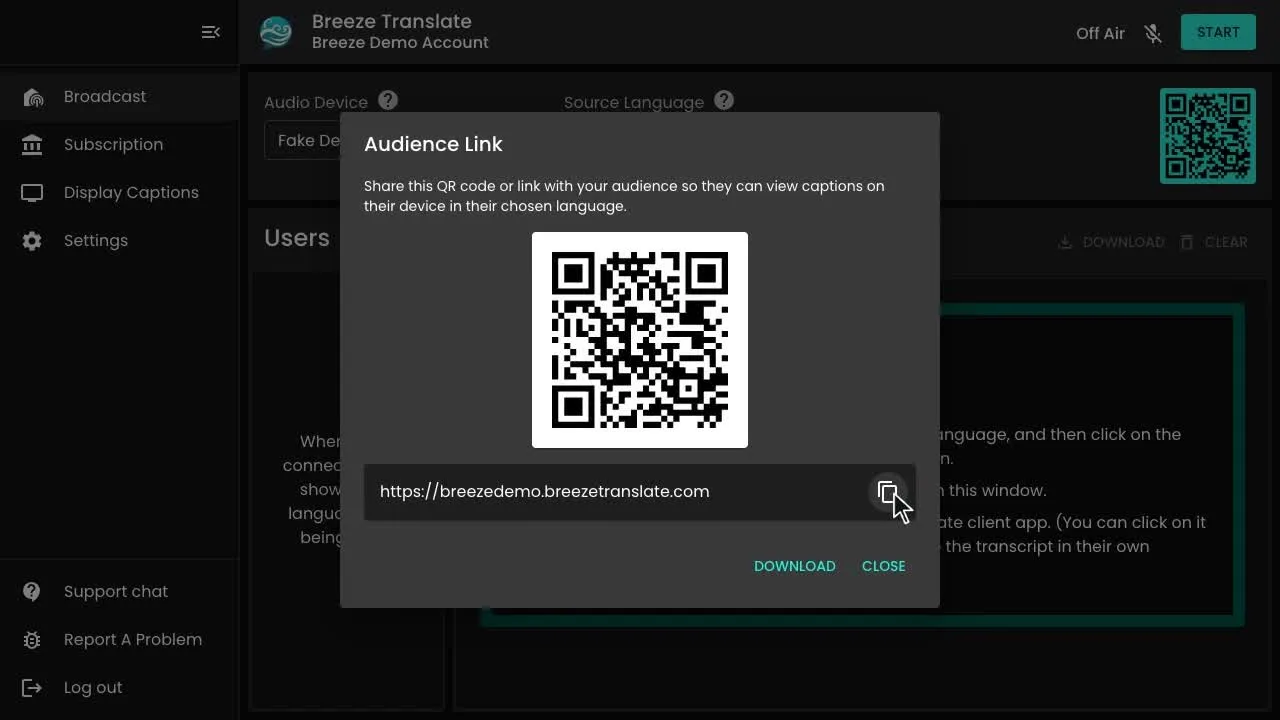
- Click download QR code to get your listener QR code and short link — it's generated automatically, nothing to build yourself
- Print the QR code onto a welcome card, or add it to a slide before the service starts
- Ask two or three people to scan it on the day and confirm they can see captions in their language
- Press Stop when the service ends — nothing carries over or needs resetting for next week
Do a real rehearsal, not just a test
A five-minute rehearsal the day before catches almost every problem before it becomes a Sunday morning scramble. Have whoever will be speaking read a paragraph of the actual sermon or notices at a normal volume, from the same microphone they'll use on the day, and check the transcript on a second phone.
This is also the moment to notice anything your building does that a quiet office doesn't — noisy air con or heating, a mic that's positioned too far away, or a Wi-Fi dead spot near the back row.
On the day
Display the QR code somewhere obvious — the welcome table, the order of service, a slide before the opening song — and mention from the front that translation is available. Many guests won't know to look for it unless someone says so from the front, even briefly.
You don't need a dedicated volunteer standing by the code all service, though it helps to have someone briefed to help a guest who's unsure how to scan it, especially in the first few weeks.
Wondering how this looks for someone less comfortable with a smartphone.
Can older church members use it? →Frequently asked questions
Ready for this Sunday?
Set up your free account today and run a rehearsal before the service — most churches are live within the hour.